Pixel art generator
Convert a photo to pixel art
- Upload, drop or paste a photo or picture. It stays on your device.
- Pick the size. Small widths give chunky, iconic pixel art; larger widths keep more of the photo.
- Pick a palette. Adaptive palettes keep your image's own colours; retro palettes give a console look.
- Try dithering on photos with smooth gradients such as skies and skin; turn it off for flat, clean sprites.
- Download the PNG, or the CSV of colours if you want to recreate it by hand, in cross-stitch or beads.
16×16, 32×32 and 64×64 pixel art
At 16×16 only the silhouette survives, which is why it works for icons, items and tiny characters. 32×32 is the sweet spot for game sprites and avatars: enough room for a face and an outline. 64×64 and up reads as a picture rather than a sprite. A tight crop around the subject matters more than the size: empty background costs pixels you need for the face.
Retro palettes: PICO-8, Game Boy and 1-bit
PICO-8's 16 fixed colours are a popular constraint for indie games. Game Boy uses four shades of green; 1-bit is pure black and white and pairs well with dithering. A fixed palette makes a set of images look like they belong to the same game.
Pixel art for Minecraft and LEGO
Building it rather than drawing it? The Minecraft pixel art generator matches colours to real blocks and counts stacks, and the LEGO mosaic generator gives a 1×1 parts list.
Animated pixel art GIFs
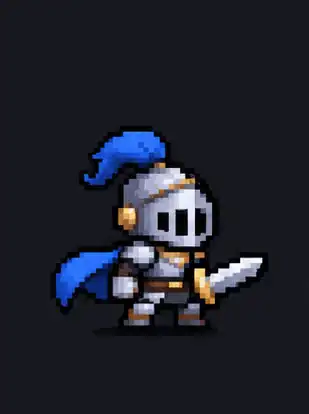
The pixel art above was generated with GPT Image 2.6, each with its full prompt. Use them as a starting point or see the AI GIF generator for more.
Questions
Is this pixel art converter free?
Yes. The conversion runs in your browser, so your photo is never uploaded, and there is no sign-up or watermark.
What size should pixel art be?
16×16 and 32×32 are classic sprite and icon sizes, 64×64 suits portraits and scenes, and 96 to 128 keeps detail from photos. Set the width; the height follows your picture.
What do the palettes do?
"32 colours" and "16 colours" pick the most common colours from your own image. PICO-8, Game Boy and 1-bit force a fixed retro palette for a console look.
How do I keep the pixels sharp when I enlarge it?
Download the PNG: every pixel is already drawn as a crisp square. If you scale it further, use nearest-neighbour scaling, not smoothing.
Can I turn the pixel art into a GIF?
Yes. Animated pixel art GIFs can be generated with GPT Image 2.6; see the examples above and the AI GIF generator.